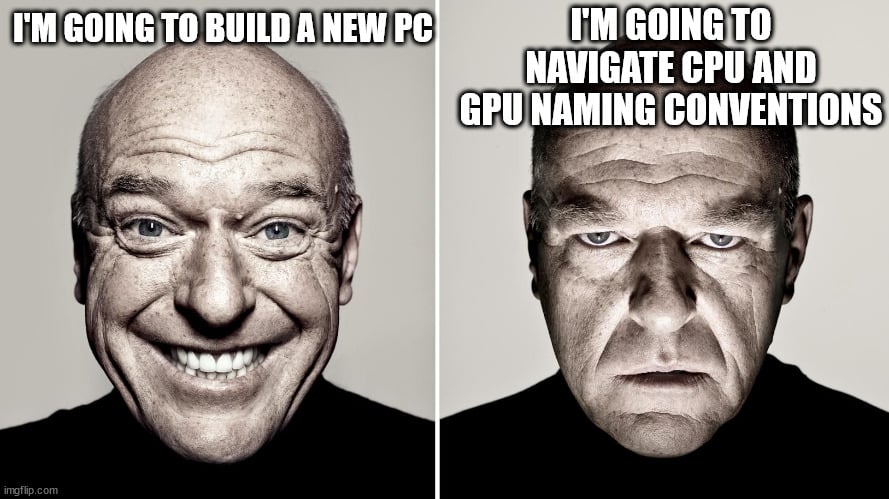
I occasionally “refresh” my PC with new board, CPU etc. I never buy the top of the line stuff and quite honestly there is little reason to. Games are designed to play perfectly well on mid range computers even if you have to turn off some graphics option that enables some slight improvement in the image quality.
I agree. Another good trick: Don’t buy a 4K screen. GPU’s work for much longer that way.
For many games you can set graphics rendering to for example 1080p but run the whole game in 4k so text, menues and so on are super crisp but the game still runs very light. But maybe it’s good advice to never even start because I can’t imagine going back to 1080p after using 2k and 4k screens
For very broad definitions of “convention”
I’m going to buy an entry level motherboard …
They periodically run out of integers so they have to reuse old ones.
Just go here and check the charts for the kind of work you want the PC to do. If one looks promising you can check specific reviews on YouTube.
For gaming the absolute best cpu/gpu combo currently is the 9800x3d and a gtx 4090, if you don’t have a budget.
Yes the part naming is confusing but it’s intentional.
R*TX 4090
It’s funny that you wrote the wrong GPU name while agreeing that the naming is confusing.
Yes the part naming is confusing but it’s intentional
Yes, that’s what people are upset about.
deleted by creator
deleted by creator
i mean dumb naming schemes isn’t just a PC thing. Remember how the Xbox 360 is 359 faster than the Xbox One
Don’t but the Xbox One X, that’s old, you need the Xbox Series X ffs so obvious!
USB 3.2 gen 1
deleted by creator
I actually have to build a new CPU… The last time I had built mine was in 2013 with an Asus i7which lasted quite a while until the whole Windows 11…non compatibility…
Now to look at socket type and see if my. Old casing can take it and yada yada …
I don’t want to go the laptop route since I still prefer desktop for gaming than laptops…
Holy shit How do you build a CPU
a beach, a plasma torch, and a very steady hand
Lol what was weird with what I said?
sorry I’m being a douche
“cpu” sometimes refers to the processor chip which goes on the motherboard
Oh man… I’m so tired I didn’t even see my mistake 😂 your not a douche, your just calling out a blunder on my part lol thanks! I corrected it.
But yeah… I ma looking at the specials for motherboards and CPU and… Wow it’s going to br a pain to rebuild a computer… Since I usually like doing it myself
I had one built by a computer repair place when I was in college - they did great and it had a fun case with lights
These days I’m too far out of the loop to get good prices or anything so I bought a laptop from Acer, here is the link
They offered a payment plan, 3 payments over 3 months with 0% interest
Thousand times this. For actual builders that care about the nuance it all probably makes sense but then there is me over here looking at pre-builts wondering why the fuck are two seemingly identical machines have a $500 difference between them.
I’m spending so much time pouring through spec sheets to find “oh the non-z version discombobulator means this cheaper one is gonna be trash in three years when I can afford to upgrade to a 6megadong tri-actor unit”.
I’m in this weird state of to cheap to buy a Mac and can’t be arsed to build my own.
Intel used to have decent naming…
60% or 60 percentage points ?
This is why I love Lemmy (it’s a reference to another thread btw)
Wouldn’t that be the same thing with no other percentages in sight because we’re subtracting from 100%?
I have no idea, that was just a tongue in cheikh reference to that other thread
I always go by the rule of the larger the number/more letters the better. The exception being M that usually means it’s made for mobile devices.
i’ll trade you my geforce 9500 for your 4090.
Ok maybe also look at the year the card was released too.
Q. E. D.
quantum electrodynamics
The other exception being monitors, which are named by connecting three keyboards to one computer and then rolling a bowling ball across all three.
No one really knows how that method was established, but it’s industry standard now.
Power consumption is part of the equation now too. You’ll often see newer generation hardware that has comparable performance to a last gen model but is a lot more power efficient.
Or you’ll see something equally efficient and equally performing at the same power levels…except you’ll see newer gens or upgraded skus allowed to pull more power
And it sucks! Sorry, I mean it SUX.
Meanwhile the data i care about, efficiency, is not readily availlable. I’m not gonna put a 350 watt GPU in the 10 liter case if i can have the same power for 250 watt.
At least TomsHardware now includes efficiency in tests for newer cards.GamersNexus has start add efficiency score in frame / joule. Also have full writeup of video on website.
Tell me about it. The numbers that I’m interested in - “decibels under full load”, “temperature at full load” - might as well not exist. Will I be able to hear myself think when I’m using this component for work? Will this GPU cook all of my hard drives, or can it vent the heat out the back sufficiently?
I wish this was data was more available. I got a GPU upgrade 6800xt and it’s so loud. I can’t enjoy sitting at my desk without hearing a loud whine and a bunch of other annoying noises. Its probably because the card is 2nd hand but still.
Maybe not cuz I have first hand 7900xtx and if I load it up it whines horribly lol.
Temperature is meaningless unless you want oc headroom. A watt into your room is the same no matter the temp the part runs at.
That’s not correct, I’m afraid.
Thermal expansion is proportional to temperature; it’s quite significant for ye olde spinning rust hard drives but the mechanical stress affects all parts in a system. Especially for a gaming machine that’s not run 24/7 - it will experience thermal cycling. Mechanical strength also decreases with increasing temperature, making it worse.
Second law of thermodynamics is that heat only moves spontaneously from hotter to colder. A 60° bath can melt more ice than a 90° cup of coffee - it contains more heat - but it can’t raise the temperature of anything above 60°, which the coffee could. A 350W graphics card at 20° couldn’t raise your room above that temperature, but a 350W graphics card at 90° could do so. (The “runs colder” card would presumably have big fans to move the heat away.)