- cross-posted to:
- [email protected]
- cross-posted to:
- [email protected]
You must log in or register to comment.
On KDE Plasma when you shake the cursor it gets bigger, with no size limit.
On macOS it also does but there is a limit.
I don’t know whether Windows does because I’ve never used it, but I’d assume so.
Neither do I know about other DEs.
deleted by creator
I think you can enable something where you can press control and it will put a big circle around your cursor but it’s not enabled by default which is stupid and it’s not obvious because it’s a random keyboard key.
It’s a utility under PowerToys called Find My Mouse.
You can set it to either double pressing the left or right Control key, shake the cursor or a custom shortcut.
This has been a godsend for me…I have a pair of 35" ultrawides and I was constantly losing the mouse due to the fact that my desktop is 70" wide lmao
Windows doesn’t. I lose my cursor all the time even though I made it neon green.
Doesn’t Windows have the option to configure a hotkey to indicate cursor location? Maybe in the accessibility settings or something? It’s been a while since I’ve used Windows.
Yeah double tap control
I’ve known people who have had the same issue and they not only turn it neon green but trunk on mouse trails to an extreme degree. If you draw a little circle with your hand it’s very easy to spot.
For those interested, there is a gnome extension called Wiggly that does this a similar thing.
Used to be called Wiggle, but development and bug fixing seems to have stopped on that one.
I was about to say this same thing. It’s such a fantastic feature.
Sometime I get bored and wiggle the mouse untill it covers both screens. 10/10
I saw a bug report when KDE Plasma 6 was released that the cursor keeps growing indefinitely. A dev responded like “yeah I noticed that but decided it’s actually a great feature”
Somone needs to make a program that greys out any monitor that the cursor isn’t on.
That’s actually a solid suggestion. I might not want it when I’m using another monitor to play a video/music/etc while multitasking, but a keybind to highlight the right monitor and ping the cursor would be useful. I think windows had a cursor ping ages ago, but I wasn’t in my 40s then and only had one screen, so never used it. As I age, I need three monitors now to have my activity, the support docs, and the requirements all visible and losing my fucking cursor is the thing that makes me curse the most. [throw it all the way to the top left corner is my workaround, but it sucks]
Ask those fucking monitors and they couldn’t spare a few hundred each on better chairs?
Knowing how crazy office furniture is, those could very well be thousand dollar chairs.
I doubt it. Last month I got a new office chair for the first time in years; chairs like that were in the $100-$300 range, depending on how much you fell for the marketing. I got a way nicer chair for $500. So if the company spent $1k each for those then they should be fired lol
On the one hand, that’s over $3000 in monitors for one cubicle.
On the other, “office furniture” and “IT equipment” can be two completely different budgets in different departments. So the numbers aren’t directly comparable when it comes to requisitions.
3 horizontal screens is the magic cursor finding balance. If 4th, must be touch screen you avoid mouse movement to.
And then a windows update in the middle, with “hey, take it easy bro, we are just taking care of a few things, alright? Your friends at Microslop.”
You may not like it, but this is what peak ergonomics look like
In KDE the more you shake the mouse the bigger the cursor gets till it takes up one whole screen
I learned recently it comes from MacOS (at least MacOS does it too)
- The upper row terminals must have enormous font size!
- No worries, use these binoculars.
8K ultrawide monitor in a nutshell(if we assume that each individual monitor has 1080p resolution).
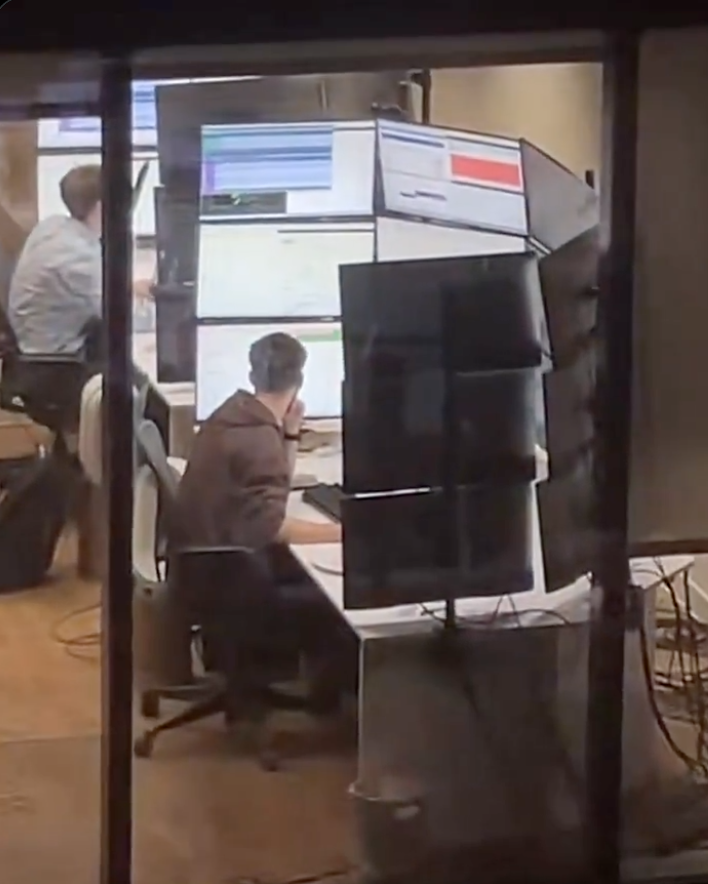
I work at a stock brokerage and I can confirm this is exactly the screen layouts these people have. By these people I’m talking about day traders I don’t actually know what this person is doing.
And yes they do look across all of those screens. I sat next to a guy who had six screens arranged in 3x2, the way he explained it he has all sorts of programs mostly in the domains of communication and news and he doesn’t even look at the other screens but when something moves it triggers his peripheral vision and he acts on it. Another day trader I know has nine screens in 3x3 but he only uses the bottom half of his screen real estate because he can’t read the top, he just likes having a big rectangular-like screen.
It’s all about peripheral vision to these kinds of professionals. They are 100% not looking at all of those screens, they just need to set up things to react to.
This guy is a meme though nobody is reacting to something happening right above your head.
Monitor spec’d sunscreen
The GPU having to render 60K pixels at 144fps: “I’m tired boss”
Almost certainly multiple in that sort of setup
When you have that many monitors they’re literally just monitoring. 15 FPS is fine for that.
I couldn’t. Even developing I have reduced myself to one monitor. It’s improved my focus a lot.
A least he’s getting enough light. Maybe not the right wavelength though.
I was going to say his vitamin D intake is at least taken care of.
If I had that many screens I would at least put everything in dark mode.
If I had that many screens I would at least put everything in dark mode
Oh my god, right? That shit’s gotta put you in “All work and no play make Jack a dull boy” mode toute suite lmao