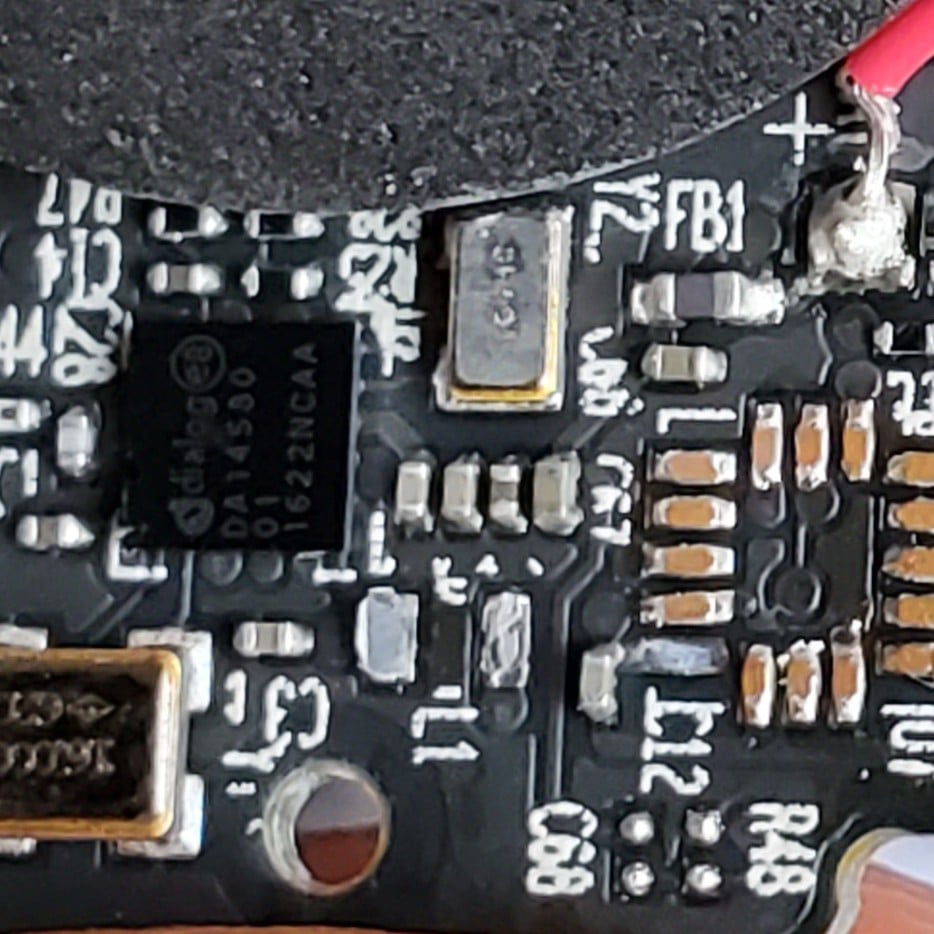
For me it’s the paranoia surrounding webcams. People outright refuse to own one and I understand, until they go on and on about how they’re being spied. Here’s the secret - unplug the damn thing when you think you won’t use it or haven’t used it in a while.
They, whoever it is, can’t really spy on you on something that’s already off and unplugged!
Even if you don’t use it as a password manager, bitwarden has an excellent pass phrase generator. The only annoyance is when I run into maximum password lengths at times.
The generated password lenghts can be set in the UI at least. It’s worse when the password form accepts only SOME special symbols (looking at you bank)
This is exactly what I do with my tobii eye tracker. I’m a bit paranoid about what it can see so I have it plugged into a USB hub with power buttons that I just disable when I’m not using it.
I feel the same way about webcams. I’m paranoid about them too, but you know what’s an easy solution? Buy a desktop monitor without one and then buy a USB webcam.
If you’re on a laptop, then for the camera just tape a piece of paper over it. As for the internal mic, you might be fucked LOL cause I got nothing.
It’s a bit late to worry about internal mics when everyone has their phone on them at all times.
The need for a solution regarding one angle of a problem does not invalidate the need for a solution regarding another.
You can take care of privacy on your personal hardware, but with work issued devices, you can’t.
I’m surprised by how many people use Overleaf for writing LaTeX instead of installing something locally. It’s not that hard, guys. And the experience can be infinitely better as you can actually customize it however you want.
Hmmm… I must say, I tried to get back into LaTeX and I got broken packages after broken packages.
Really pushing for Typst adoption now. Works perfectly. Fast as hell. Bye technical debt.
I’ve heard about Typst, never really tried it. I don’t think I’ll completely be able to switch anytime soon since no journal accepts it afaik. But maybe I can try it out for personal stuff.
I’ll try out Typst. If it works well, I’ll definitely switch from LaTeX.
Well yes but overleaf makes it possible to work on it with a mate, on any device without having to install anything, and it also saves your progress online so you don’t lose it or forget you document at home.
If your not seeing were i’m going it’s perfect for school project. Through high school and college i’ve done all my projects with it… I think that’s where it shines.
I understand using it for collaboration. But I see people write their homework in it. They’re not collaborating with anyone.
Also, these people use it all the time. I understand using Overleaf if you only use LaTeX rarely, since you don’t need to set anything up.
I personally edit offline, and copy to Overleaf if I need to collaborate.
Yeah to be fair if you do all the homework with LaTeX there’s no reason not to set up your machine.
I’ve even heard of someone who even used it to take notes in class… Honestly I wouldn’t dare to try and learn that!
But yes, that’s when the macros and possibilities you don’t have on overleaf becomes really good to have.
My recommendation is using typst instead. It’s basically the modern version of latex. And it has a good online collab platform too.
I have a webcam that we use when we’re not home for longish periods. It’s unplugged when we’re here. Also, it is connected to my own server, not some corporate cloud crap.
Rebooting your PC really does fix a lot of issues.
But in Windows, you have to go to a sub-sub-sub-menu of the old control panel, click on a button called “choose what closing the lid does”, then on “change settings that are currently unavailable” and then disable “fast startup (recommended)”, just to get your pc to reboot properly.
Here’s an even easier hack than all of that :effort:
Just hold the power button down for about 10 seconds, ez-pz
I prefer yanking the cord out while furmark, prime95 and a full delete 0 write on the spinning disks is going.
I like to call that the “putting a pillow over its face” method of rebooting. Reserved for when even a
shutdown /r /t 0doesn’t workThrow a /f in there for good measure.
Press windows D to go to desktop and press alt F4 until you get the shutdown menu.
Hold shift while you click start and shutdown (or reboot) when necessary. This will have windows do a full shutdown instead of a hybrid shutdown.
Thank you, this will save my monday morning restart after a weekend of
off‘hibernation’
People who complain about ads on YouTube. I tell them about ads blockers and they always go “Huh, you sure it works? Sounds good, I might try that” and then proceed to forget about it and complain about ads in a few months time…
I think this happens because people believe that ad blockers are “too good to be true”. That was what I first thought when first getting an ad blocker, that there was going to be some kind of “catch” like slowing down websites, making them less functional or being malicious. But it turns out they actually improve performance, rarely affect functionality and are even recommended by the FBI because they protect against malicious advertising.
I’m pretty positive by this point that people love to bitch about ads for the sake of bitching about ads. They bring this onto themselves.
Same goes for them going onto sites without ad blockers. Then when you tell them, it’s either “OHHH THANKS!” or “Uhhhh, I cAn’t” for no reason.
Or people, like my mom, who
arewere relatively educated about technology and don’t want to learn new technologies/tools under the pretense of security (even if the software is foss, like again most adblockers.Edit: Whenever I use a browser without an adblocker, I remember how shitty the web is without them.
My mom built computers in the '90s and '00s, she taught me how to use the command prompt to play my dos games. now she can barely use one. I don’t know what the hell happened.
Well, my mom is a computer engieneer, who had me reflash a phone from work and install libreoffice on her windows laptop (to be fair none of her coworkers could reflash the phone and the second one was probably just lazyness).
I hate the ad blocker argument for youtube. How am i supposed to do that on my tv or my phone?
I mean, don’t you want less ads anyways?
- invidious
- piped
- some TVs have 3rd party specialized versions of the official webapp
The first two have web pages and phone apps. You can find the phone apps on F-droid.
Fun fact: did you know that the youtube app on your TV is just a no-effort web browser with a URL fixed to a web page, which you could even use on your PC?
Can I do any of these on FireTV?
Use smart tube on fire tv and other android tv devices: https://github.com/yuliskov/SmartTube
I literally just use normal Firefox with normal ublock origin on my phone
People have a fantastically high resistance to change
I just install it for them or tell them to use Brave (don’t down vote me, these people aren’t going out of their way to use firefox and download all the needed extensions)
😤 how dare you make reconsider my absolutist views
What annoys me about webcams is that they could have easily used the power line to the camera to light the LED. Then if the camera was on the light would be on.
But for some reason the LED is enabled separately from the camera, so it can be hacked through software that the camera is on but LED is off. Leading to a lot of paranoia. It’s just a non sensical design choice.
It’s simple enough to just cover a camera. I’d be far more worried about the always listening microphones.
They should both have hardwired LED indicators. Actually, every powered component should, because why not?
LEDs are fucking annoying
Webcams should not have mics built into them, they all suck anyways.
Like putting speakers in monitors.
What about laptop webcams on work/school issued hardware?
That’s what tape is for
Which does not solve the webcam’s mic, which (to me) is a bigger issue because it does not only record who’s in the from of the machine, but also the whole surrounding area.
Saving a picture and posting it somewhere.
I see people making screenshots of their whole phone’s screen and posting them just to show a picture. In reality, maybe 90% of the time, if you see a picture on the screen of your phone, you can save that picture, with no pointless information around it, no black bars and so on. Even if that’s not possible, Android for example has been doing something from the recent apps screen that lets you extract a picture from an app’s screen - and that’s arguably even easier than doing a screenshot.
Have you tried turning it off and on again?
If you don’t have your files on another physical location you can show me, you don’t have a backup, you don’t own your files, you basically give your “digital life” to someone else.
But that extremely expensive NFT I bought has my name on it, not yours. Therefore it is owned by me and nobody else.
No I won’t show it to you.
This touched me deep
Likewise, as the old rule goes, if you don’t have a secondary backup, then you don’t have a backup.
Yes, two is one and one is none.
I’ve never heard that expression before.
I like it!
I use raid 0 for backup.
^/s
My RAID5 of 28 disks is ultra safe I tell you
The other day, I was chatting on a Discord server about how people manage their photos, which keep piling up each year. I asked which cloud service they use, and one person replied, ‘Save them offline.’ That really struck me because I haven’t invested in offline storage devices in years, and I realized I wasn’t storing anything offline.
Majority of “webcam” use is in laptops, tablets and phones, grandpa… No “unplug the damn thing” to be found?
They often come equipped with a privacy slider to cover the lens. Or you can just put a sticker on them.
They don’t “often come with” I’d say it’s fairly rare, and especially in the last generation of computers that most have now.
Also, what you mention are all steps above and beyond OP’s direction to “just unplug it” and they come with compromises - I.e. A shutter cover isn’t a HW disconnect, two very different things. And, a sticker isn’t really removable temporarily when you actually do need the camera deliberately. Certain high end laptops have a purported physical HW disconnect toggle or even some “flip around” cameras that are only deployed when needed, but again, few and far between.
Sorry if I was wrong about the prevalence of such protections. My perception may be biased because the notebooks used by our company are all equipped with a switch or shutter of some sort. (HP brand, IIRC) Regarding your second point, however: surely a shutter physically obscuring the camera lens is just as effective as disconnecting the camera when it comes to protecting the user’s privacy?
Yes, common that folks in more privileged positions can have these skewed views on products, like, “Uber is a pretty good service and a good value…” but you only pay on your corporate expense account… When normal people need a ride now, it’s $80 for a 14 minute ride that used to cost 25-30 bucks. Someone’s we can just live fully different realities from most people.
You often forget to close camera shutters (they are often tone on tone and designed to be more invisible, or they can fall open/off. The microphones are also often located near/in camera modules, so a slide shutter can give a false sense of security, but you can still be heard even if not seen sometimes. I do hope it gets to a point where HW disconnect is the norm
Ok, I hear you. But here’s the secret: I don’t want to use a webcam at all. If you want to see me, agree to a physical meetup. Obviously that’s not the only reason.
I work in a remote first company. We are spread across the whole country. To manage things we do daily meetings. Every single time my camera is covered and nobody has any issues with that. However, when I’m interviewing a potential employee I turn on my camera.
If I could get laptops without webcams or mics I 100% would
SFTP file transfers, I’m guilty of forgetting about it myself sometimes.
Whether it’s Syncthing for keeping device data synced and backed up, or just wanting to get a file from point A to point B and using your preferred SFTP client like FileZilla, it can be really easy to forget just how easy these are.
I’m currently trying sync thing. It gets the job done but it confuses me a lot. Like you say sftp is just so much more straight forward.
And you can probably hook that up into your file system, making it super convenient.
+1 for syncthing.
I can try and help a bit with Syncthing, it’s got a couple idiosyncrasies that I feel like I’ve come to understand.
Which aspect of it is troubling?
Well, one device says it’s syncing, but the other doesn’t. Or it just doesn’t detect changes even after restarting it. In the end it somehow works but the UI feels finicky.
If I use USB, scp or sftp or something it just feels straight forward. I say x and it does x or I get an error. With syncthing all that is hidden and it’s confusing.
I also once had an error on a specific folder. I tried deleting and adding it again, but it was still broken. I searched online and it might be because I deleted a hidden folder. I occasionally delete stuff I don’t know. And it wasn’t able to recover from that or provide a proper error message.
All in all I think I’ll keep using it and banging my head against the wall until it works for me. It could definitely use some UI/UX touchups.
That sounds similar to the issue I ran into, Syncthing will create a .st-ignore text file (can’t remember the actual name) that links the device folders together. When I’ve deleted that I’ve encountered similar confusion and problems trying to get new folders running.
If you have Android clients, I’ve found Syncthing-Fork to be slightly better for the initial setup.
What I’ll tend to do when I have problems is remove each folder I’ve set up in Syncthing from both devices, then I’ll usually create a new folder path for my purposes. If I’ve already set up when I’m trying to accomplish then I will either rename it (sometimes it helps) or just try from the beginning again.
For example, I want my tablet to get videos from my phone and my PC, and I want these files backed up in general. So on my phone I create /Send-to-PC and on my tablet I create /Receive-from-PC. Either the host or the client can initiate the synced connection for the first time setup, so it’s just a matter of naming the Syncthing Label (such as a comment descriptor about the folder, like Media), setting the folder path within the client device (on android this might be /storage/SD-Card-ID/MediaFolder) and then choosing which devices will be connected to this label (usually via a tick-box with the Host or Client name). This is usually it, but you do have the option to set Folder Type for whether you only want to send, only receive, or send and receive, as well as Watch for Changes.
These last two may also be part of what you are noticing too. For example, if you have Watch for Changes disables, you’d have to wait for the scheduled upload, which can save phone battery by not having it sync constantly, but can also prevent syncing quickly when you want it. Or, more likely what you may run into, Send & Receive being the default can result in some odd quirks when you the Host removes an uploaded file to the client. All of the sudden your project file is vanished! This happens to me from time to time, as I’ll upload a video I want to edit on my tablet, then I’ll move/delete it since I’m in the process of editing, only to remember that Send & Receive makes it so that the client also moves it from the shared folder.
Anyway this probably isn’t very helpful, but hopefully seeing a tired rundown of how someone else uses it gives you an idea of what may be happening on your end!
😵💫
I’ll probably end up configuring a virtual file system instead